
How to change your X(Twitter) username or handle

Want a fresh start on X (Twitter)? Whether you're rebranding, simplifying your online presence, or just outgrew that username you created years ago, changing your X handle takes less than a minute. Best part? You won't lose a single follower.
What Is the Difference Between an X Handle and Display Name?
X handle/Username is your unique identifier. It's the "@" name your one and only @YourUsername that no one else can have. Think of it as your address on X; it's how people find you, tag you, and DM you directly. Handles are crucial for building a brand because they stay consistent across every tweet, retweet, and reply you make.
X display name is your flexible, friendly face. It appears at the top of your profile next to your handle, but unlike your handle, it doesn't have to be unique hundreds of accounts can share the same display name. This is where you get creative: if your handle is @CoffeeCraftJoe, you might set your display name to "Joe | Coffee Roaster" to give people a quick sense of who you are.
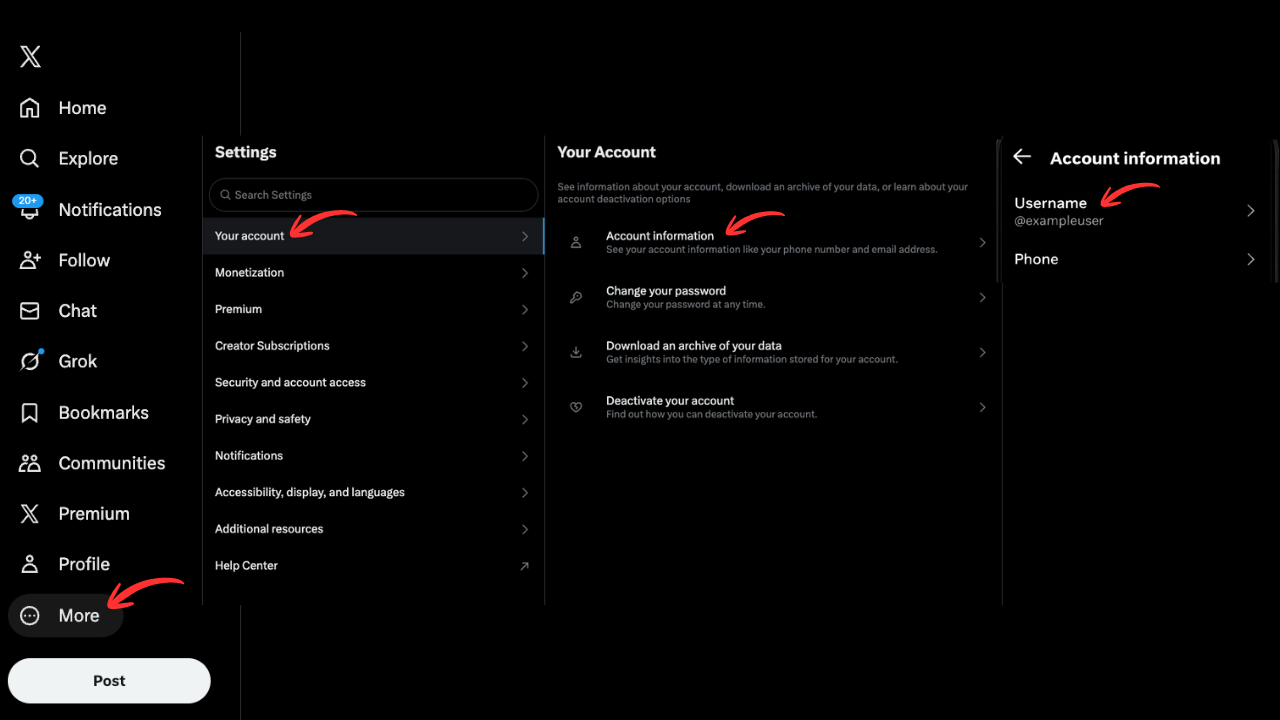
How to Change Your X Handle on Desktop
Step 1: Go to x.com and log into your account.
Step 2: Click More in the left sidebar → Settings and privacy.
Step 3: Click Your account → Account information.
Step 4: You may need to enter your password for security verification.
Step 5: Click on Username and type your new handle.
Step 6: If it's available, click Save. Done!
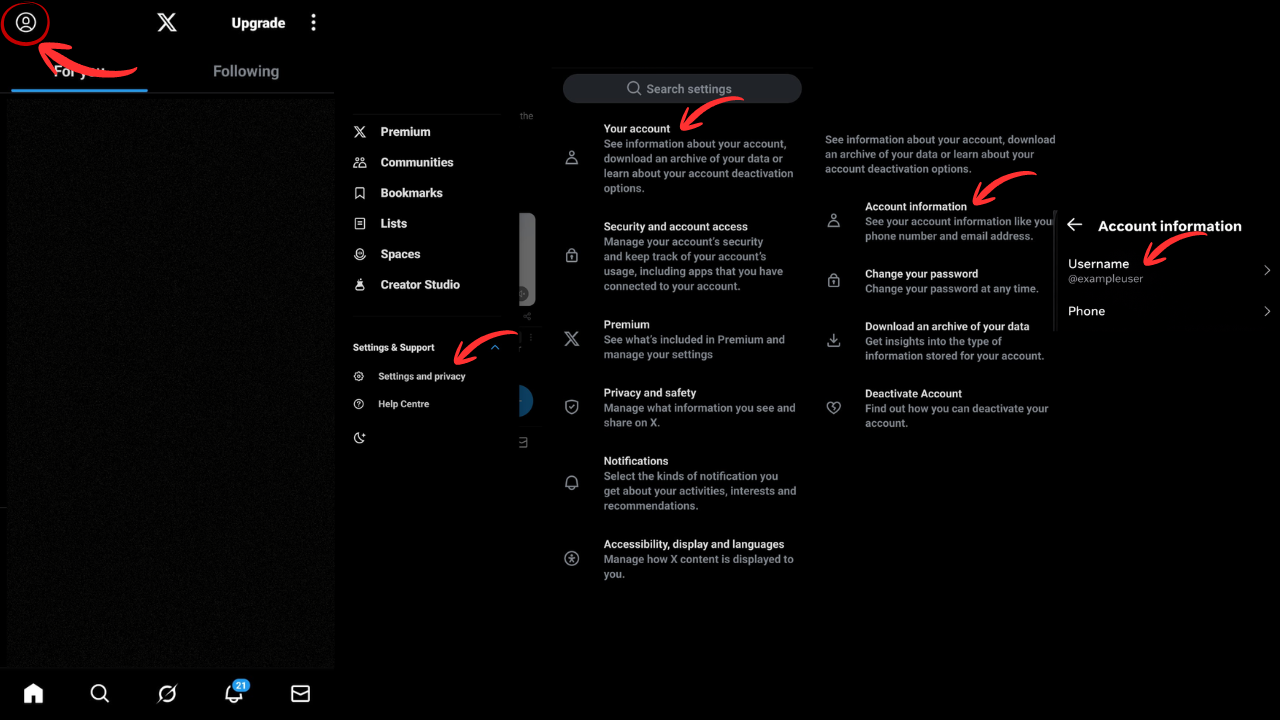
How to Change Your X Handle on Android / iPhone
Step 1: Open Chrome (or your preferred browser) and go to mobile.x.com.
Step 2: Log into your account.
Step 3: Tap your profile icon → Settings and Support → Settings and privacy.
Step 4: Tap Your account → Account information → enter your password if required.
Step 5: Tap Username, enter your new handle, and hit Save.
Quick Tips Before You Change
- Usernames must be 4-15 characters and can only include letters, numbers, and underscores
- Your old handle becomes available immediately (someone else could claim it)
- Let your followers know beforehand so they recognize your new identity
- Consider claiming similar variations to protect your brand
That's it! Your new X handle is now live, and all your followers, tweets, and DMs remain exactly where they were.